


Queue Management & Calling System
Queue & Calling
Digital queue calling system – no ticket printer needed
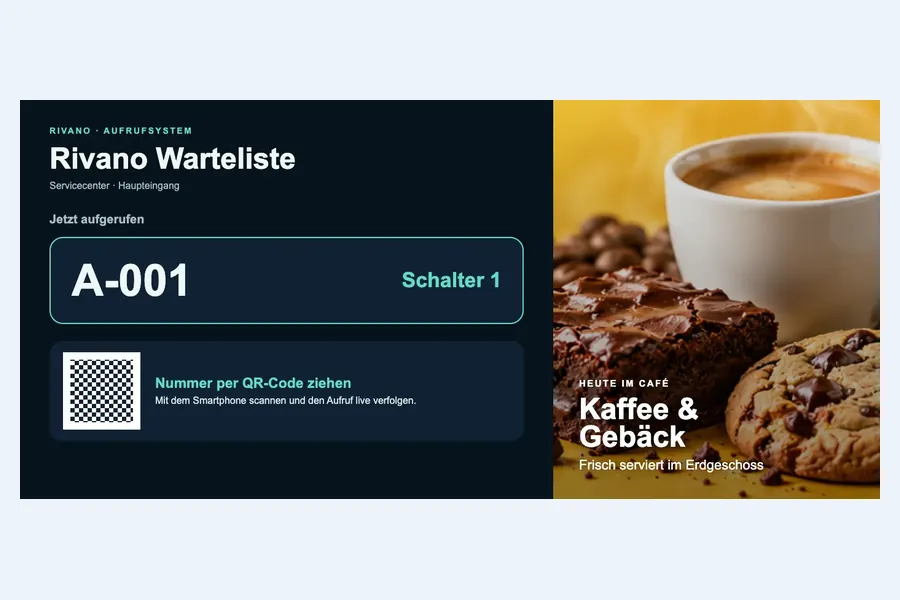
With the Rivano calling system, your customers take a queue number by scanning a QR code with their own smartphone. They see live when it is their turn and are called to the right counter. Your team calls numbers in a simple web app – on a PC, tablet or smartphone.
- Queue numbers via QR code, no ticket printer and no paper
- No app and no sign-up for your customers
- Live status on the smartphone, with optional push notifications
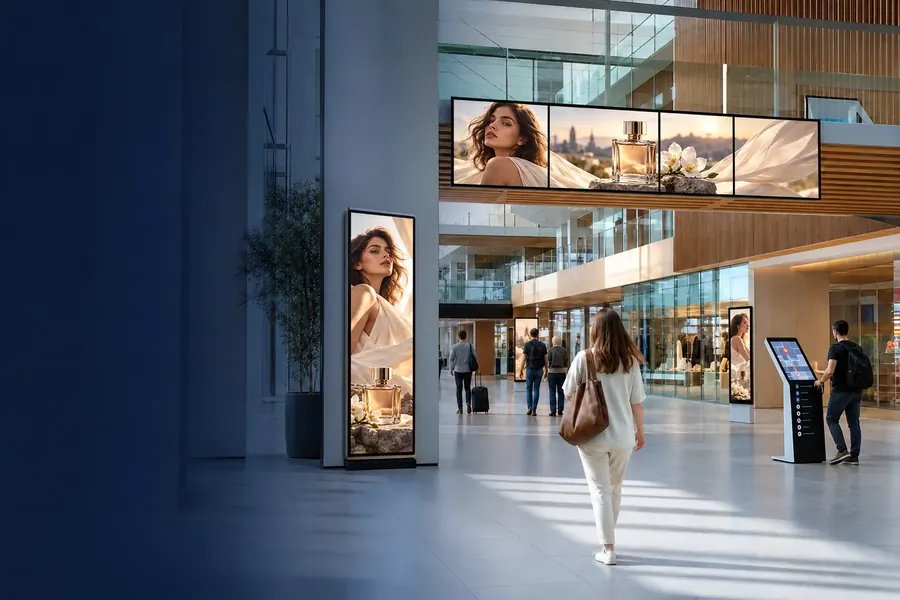
- Calling display in your own design – also combined with advertising
- Hosting in Germany or on-premises

For your customers
Take a number, track your place, be there on time
Nobody has to stand in the waiting area. Your customers grab a coffee or keep shopping and see on their smartphone when it is their turn.
- Scan the QR code: at the entrance or directly on the calling display
- Get a queue number: short and easy to read, for example A-001
- Track your place: the page updates automatically
- Get called: number and counter appear on the screen and on the smartphone
For your team
Call customers easily – and make good use of the screen
Your staff work in a dedicated web app that shows only the queues. The calling display runs as its own browser page or as part of a Rivano playlist, so the same screen shows calls and your offers.
- Call the next number to a specific counter, recall, put on hold or mark as no-show
- Dedicated role for counter staff – no access to media, playlists or devices
- Logo, heading and colours per queue, with live preview
- Calls and advertising on one screen, for example calls on the left, offers on the right
- Every status change is logged with time and counter
Frequently asked questions about the calling system
What is a digital queue calling system?
A calling system organises waiting customers by number and calls them to the right counter on a screen. With Rivano, customers take their number by scanning a QR code with their smartphone instead of using a ticket printer.
Where are calling systems used?
In public authorities and citizen service centres, medical practices and clinics, pharmacies, service and pick-up counters in retail, workshops and customer centres.
Do my customers need an app?
No. The QR code opens a web page in the smartphone browser. No sign-up is required.
Can a photographed QR code be misused?
No. The QR code on the display changes automatically and is valid for 90 seconds at most. An old photo cannot be used to keep taking new numbers.
Are customers notified when it is their turn?
The page on the smartphone updates live. Customers can also enable push notifications; on an iPhone the page must first be added to the home screen.
What hardware do I need?
A screen with a Rivano player or a browser for the calling display, and a device with a browser for your team. STiNO supplies suitable displays and players. Devices must be online for live calls.
Can I combine the calling system with digital signage?
Yes. The calling display can be added to a Rivano playlist as content. The same screen then shows calls next to information or advertising.
Technology & Solution Partners
STiNO works with trusted technology partners to deliver reliable, scalable, and future-ready digital communication and interactive display solutions.


Let’s Start a Conversation
Whether you’re planning a project or need expert advice, our team is ready to assist you with tailored solutions.